Shipping takes place within 3-5 business days. If there is a problem with the shipment of the product, we will notify you via the email address you entered when ordering.
1
/
of
1
Logitech
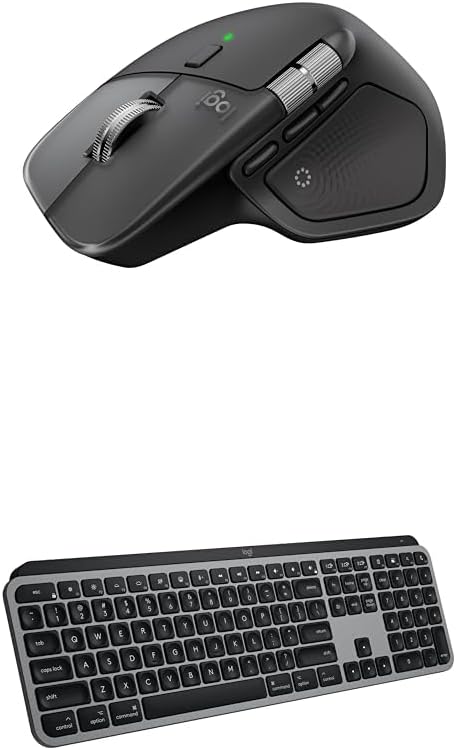
Logitech MX Master 4 for Mac Ergonomic Wireless Bluetooth Mouse with Haptic Feedback + MX Keys S for Mac Wireless Bluetooth Keyboard with Backlit Low Profile Keys - USB-C, MacOS, iPad OS - Space Black
Logitech MX Master 4 for Mac Ergonomic Wireless Bluetooth Mouse with Haptic Feedback + MX Keys S for Mac Wireless Bluetooth Keyboard with Backlit Low Profile Keys - USB-C, MacOS, iPad OS - Space Black
Regular price
$379.97 USD
Regular price
$379.97 USD
Sale price
Unit price
/
per
Shipping calculated at checkout.
Couldn't load pickup availability
Overview
- Brand : Logitech
- Color : Space Black
- Connectivity Technology : Bluetooth
- Special Feature : Haptic Feedback, Backlit Keys, Customizable Shortcuts
- Compatible Devices : Laptop, Tablet
About this item
- Mastered for Mac: With matching Apple finishes, Logi Options+ functions for macOS (1), USB-C charging while you work (cable not included), MX Master 4 for Mac makes for a perfect fit with your Apple setup
- Precision you can feel with the Haptic Sense Panel; customizable (1) haptic feedback on specific actions, shortcuts, notifications enhancing productivity on this wireless Bluetooth mouse
- Effortlessly access favorite tools with Actions Ring (2) on this MX Series mouse—a dynamic, customizable overlay adapts to each app, placing most used filters, adjustments, and shortcuts at your cursor
- Mastered for Mac: With a Mac key layout and matching Apple finishes, Logi Options plus functions for macOS (1), USB C charging, Logitech MX Keys S for Mac makes for a perfect fit with your Apple setup
- Fluid Typing Experience: A laptop-like profile with spherically dished keys shaped for your fingertips; experience fast, fluid, and precise typing on this wireless bluetooth keyboard for Mac
- Automate Repetitive Tasks with Logitech Keyboard: Easily create and share time-saving Smart Actions shortcuts to perform multiple actions with a single keystroke with the Logi Options plus app (1)
Share